#Product Design#AI / Agentic workflows#0→1
AI agents: easing the workload for team managers, building confidence for finance
Lead Product Designer · 2026
I designed a set of customizable AI agents that take repetitive work off managers' plates and flag anomalies before they become costly mistakes, automating the routine while keeping humans in control of anything that touches money.
Context
RemotePass has a clear business goal: bring AI deeper into the product. But "add AI" isn't a strategy. The real work is finding the moments where AI genuinely improves the experience instead of adding noise.
We looked at where managers actually lose time and where the stakes are highest, and two patterns stood out:
- Team managers process a constant stream of time-off requests. A large share of these are straightforward and recurring: approvals that follow the same logic every time, yet still demand manual attention.
- Payroll managers operate in a fundamentally different mode. Their work is directly tied to money, so an error isn't an inconvenience; it's costly. Speed matters, but confidence matters more.
Same product surface, two very different problems. One is about saving time on the repetitive; the other is about building reassurance around the sensitive. That framing shaped every decision that followed.
How can AI agents help team managers save time on repetitive requests without making them feel like they've lost oversight? How can AI agents help payroll managers move faster while feeling more certain, not less?
The design
The core idea: spot these recurring patterns and turn them into agentic workflows the user can customize, not a black box that acts on its own but a configurable teammate with clear boundaries.
For team managers: auto-review that clears the repetitive
Here the agent doesn't flag; it does the review. Once configured, it auto-approves or declines the requests that match the manager's rules, so only the exceptions need attention.
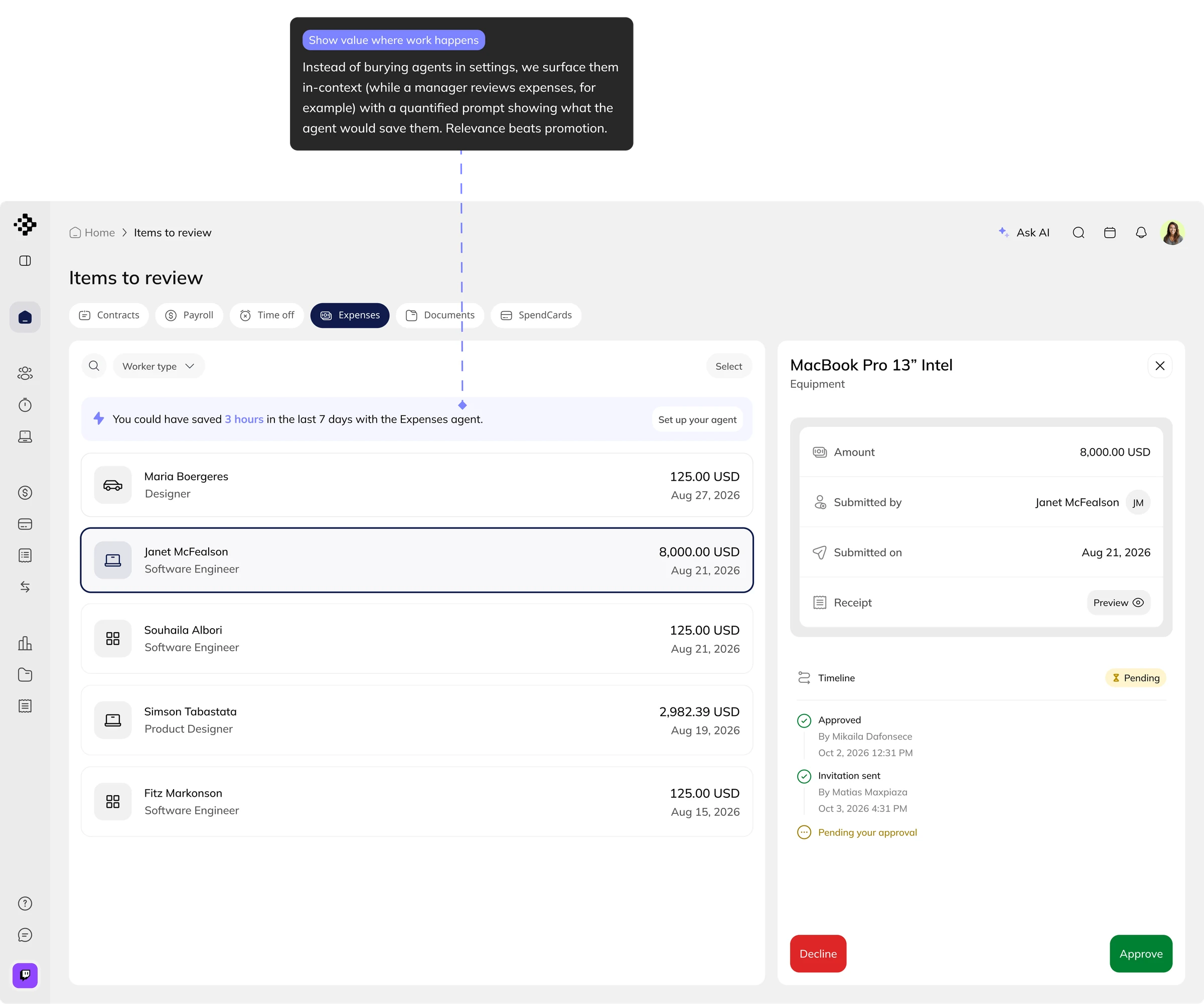
Approval logic is never generic, though: country-specific, company-specific, often dynamic. So rather than ship a default, we introduce the agent in context, where the work happens, and quantify it in the manager's own terms: "you could have saved 3 hours this week." From there it's opt-in.
For payroll & expenses: reassurance by default
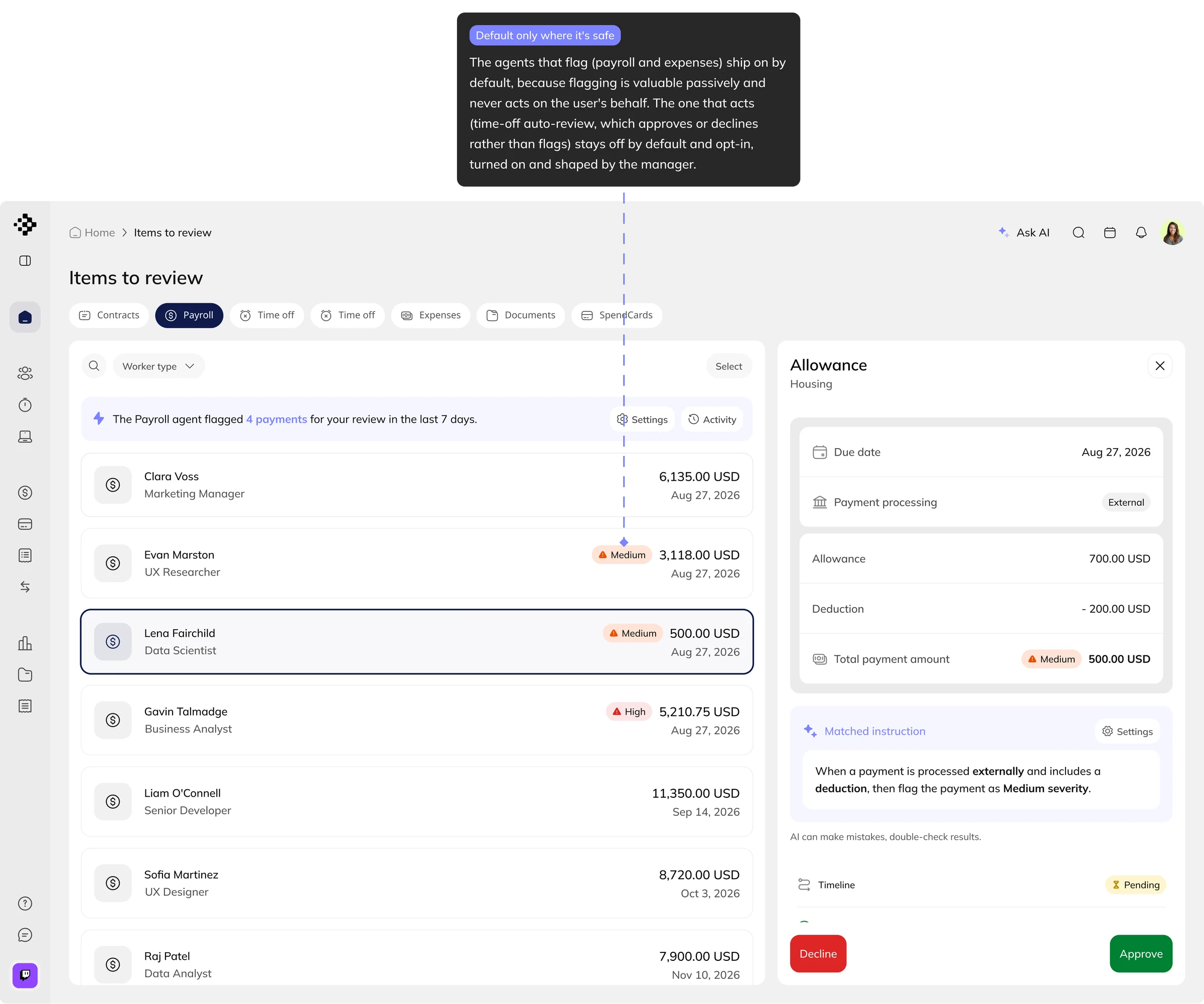
Here the agent's job isn't to act; it's to catch what a human might miss. It runs anomaly checks across every payroll run and on expenses, flagging anything unusual before it's processed, with its reasoning visible.
Because flagging never approves or moves money, it's safe to run for everyone by default: the manager gets faster and more certain, without giving up the decision.
Driving adoption
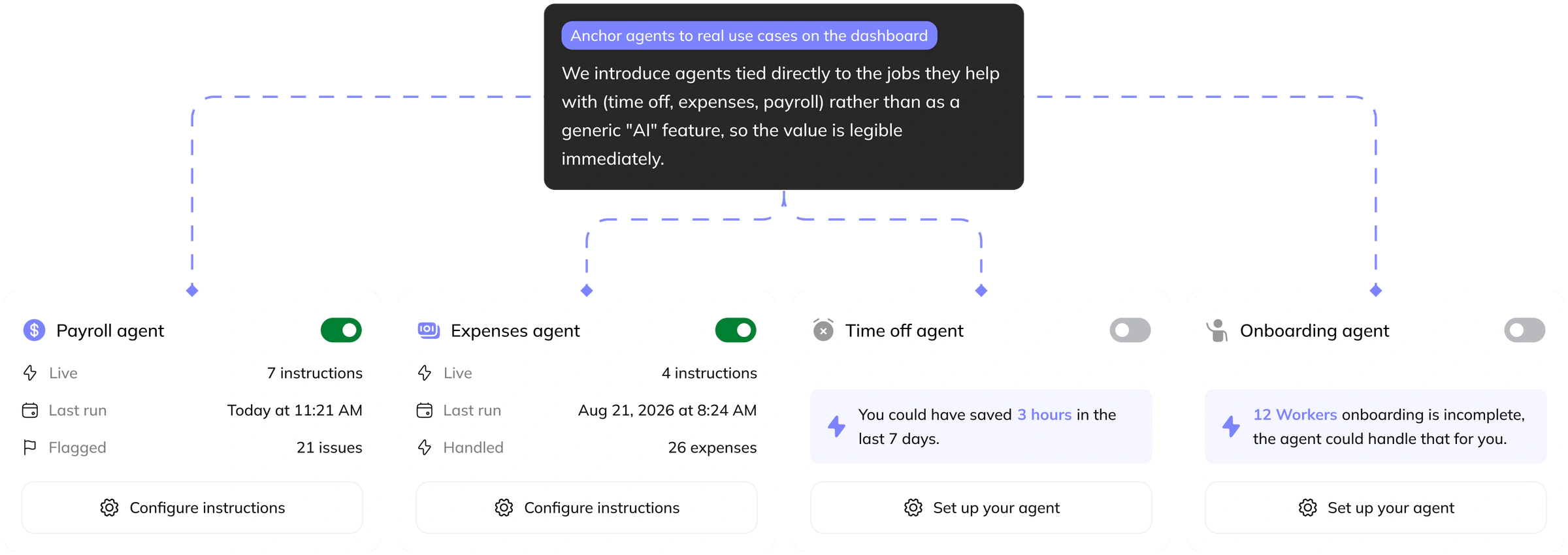
A powerful agent no one turns on is worthless. The harder design problem was engagement: how do we get managers to actually use these agents? Three decisions:
Making agents personal
What the agent does comes down to the rules a manager sets for it, and how those get set went through three versions. Each one is a different answer to the same question: how much of the rule should the manager have to build themselves?
V1: the manual rule builder
The first version had managers assemble each rule by hand, one condition at a time: the category, the amount, whether a receipt was attached, then the action to take. It worked, but it made managers translate their policy into our structure, and real approval logic is too specific for that. It is country-specific, company-specific, and full of edge cases no fixed set of fields could anticipate.
V2: the plain-language prompt
So we inverted it. Instead of managers learning our fields, the agent learns their intent. They write the rule the way they would say it out loud, the assistant turns it into an instruction, and they review it before it goes live. Presets give them a starting point, but the manager owns them: turning them on, editing them, making the agent theirs.
V3: a change of plan after testing
The iterations didn't stop at V2. Testing it moved the problem somewhere we weren't looking: not at how a manager builds a prompt, but at what it feels like to ask an AI to write one, and at what the default instructions do once they exist.
The defaults were the surprise. A full set of them read as overwhelming. Managers couldn't tell what any single rule actually did, and not knowing what a rule would do to a real request is its own kind of risk. Ambiguity reads as something to be wary of, not something to switch on.
So we cut instead of explaining. A quick round of research with managers showed which rules genuinely carried weight, and we kept three. Each one ships on by default, with the action left for the manager to change when their policy calls for it.
Customization went the same way. Rather than our own builder, V3 follows the pattern people already know from Claude and Wispr: one open text field where you write the instructions in your own words, and the agent follows them as it works. A simpler model, and nothing new to learn.
Outcome
The agents launch to all users in September. Ahead of that, they were dogfooded internally with the exact people they're built for: a tech lead handling time-off for his team, the finance manager, and the CEO himself. Each one used the agents on their real work, not a test script, which surfaced the kind of feedback only real stakes produce.
We iterated on that feedback until the agents were trustworthy enough to open up, then moved toward full launch. Real usage data follows the release, and I'll add it here once it's in.